Large language models are impressive. They are also confidently wrong. They hallucinate facts, have a knowledge cutoff, and know nothing about your proprietary data. This is why raw LLM integration fails in enterprise settings.
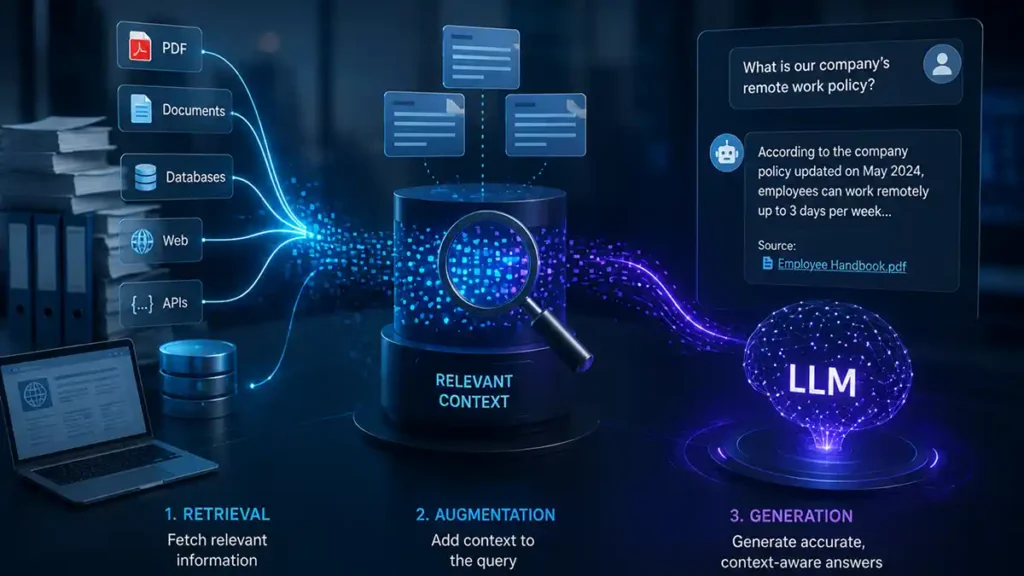
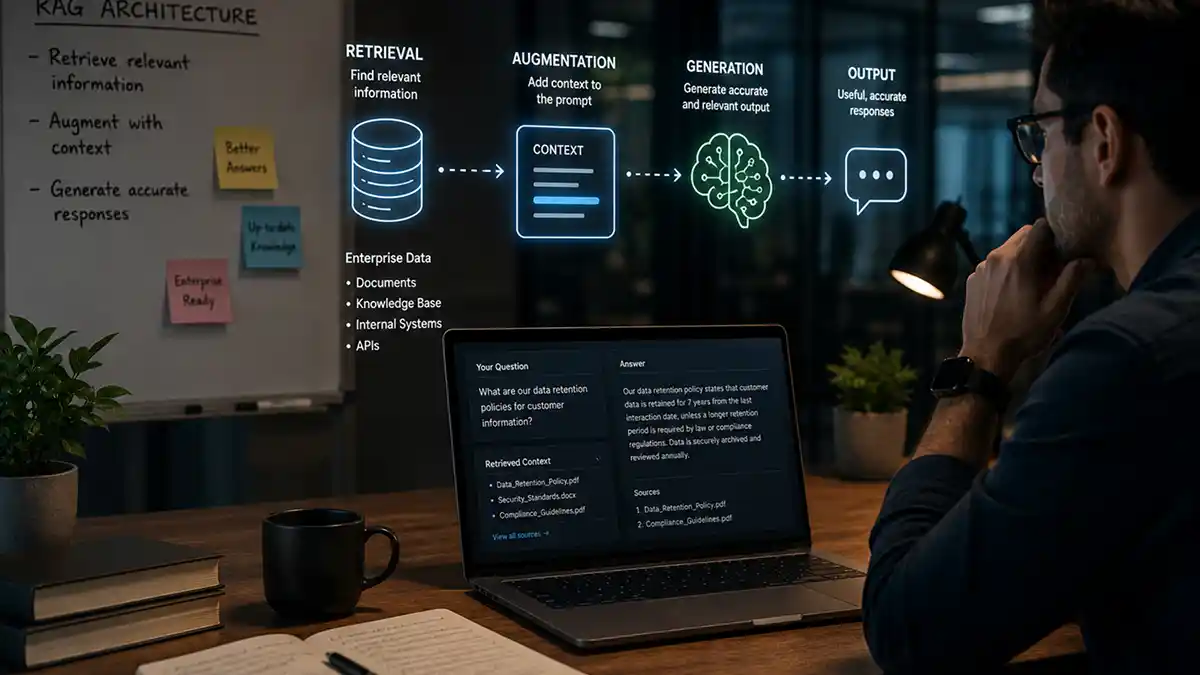
RAG — Retrieval-Augmented Generation — solves this. The idea is simple: before generating a response, retrieve relevant chunks of your own documents and inject them into the model context. The model answers your question using your data, grounded in verifiable sources.
How RAG works, step by step
In practice, this means: embed your documents into a vector database (Pinecone, Weaviate, Chroma). When a user asks a question, embed the question, find the most semantically similar document chunks, and pass them to the LLM as context alongside the query. The model generates an answer grounded in your documents.
- Prepare. Split your documents into chunks and convert each chunk into an embedding, a list of numbers that captures its meaning.
- Store. Save those embeddings in a vector database alongside the original text and its source.
- Retrieve. When a question arrives, embed it the same way and find the chunks whose meaning is closest.
- Generate. Give the model the question and the retrieved chunks, and instruct it to answer only from them and to cite where each point came from.
Why it matters
The results are dramatic. Instead of an LLM that confidently makes things up, you get a system that cites its sources, stays within your knowledge base, and can be updated instantly by adding new documents to the index.
That last point is easy to miss. With RAG, keeping the system current is a data task, not a model-training task. Add a document and the system can use it straight away.
RAG or fine-tuning?
The two solve different problems. Fine-tuning changes how a model behaves: its tone, its format, how it handles a specialised task. RAG changes what the model knows at the moment it answers. If the problem is “the model does not know our information”, RAG is usually the right first step, and it is quicker and cheaper to keep up to date. The two can also be combined.
Where enterprises use it
Enterprise use cases include internal knowledge bases, customer support automation, contract analysis, compliance Q&A, and product documentation search. Every company with more than a few thousand internal documents has a RAG use case they are not exploiting yet.
What goes wrong in practice
A demo is easy. A system people trust is harder. The usual problems:
- Poor chunking. If a chunk cuts a table or a clause in half, the model gets half an answer. How you split documents matters as much as which model you use.
- Retrieving the wrong passages. Similar wording is not the same as relevant. Combining meaning-based search with keyword search, and re-ranking the results, improves this considerably.
- No access control. The system must only retrieve documents the person asking is allowed to see. This has to be designed in from the start.
- No evaluation. Without a set of test questions with known good answers, you cannot tell whether a change made things better or worse.
- Stale data. If updated documents are not re-indexed, the system will confidently quote the old version.
How to start
Pick one narrow, valuable use case, such as answering support questions from your own help centre. Use a limited set of clean documents, write twenty or thirty real questions with the answers you expect, and measure against them. Expand once that works.
For the engineering decisions behind a production system, read Building a Production RAG System. To build one with us, see our AI development services or hire AI/ML engineers.